Hero image

Trackling

Helping seniors understand their physical capabilities through a health tracking application.

Contributions

  • Interface design
  • UI design
  • User research
  • Problem identification

Project Type

  • School project
  • Group case study

Time

  • 8 weeks

Tools

  • Figma
  • Miro

Overview

Introduction

A two month school project that is separated into two parts: research and design. The design process first examines a relevant problem through research then focuses on creating an easy-to-use and accessible solution that can help our users mitigate the problem.

Problem

Many seniors (age 75 and above) lack physical awareness and push themselves too hard, causing unexpected injuries or falls.

Problem Identification

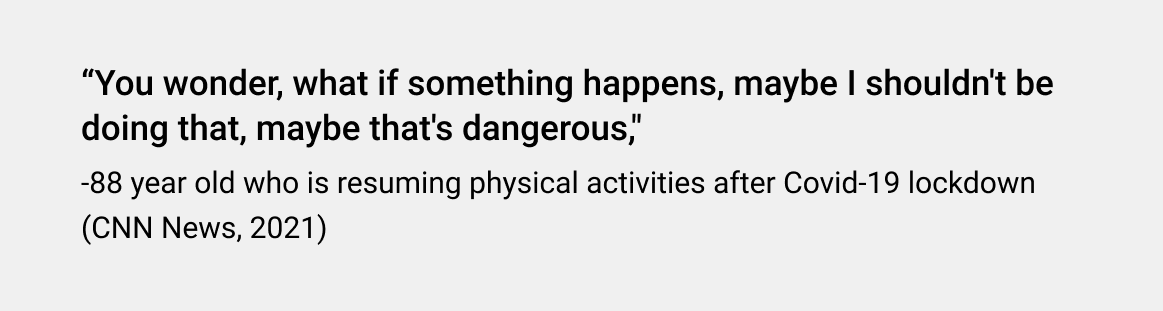
For seniors, regular physical activity prevent or delay many of the health problems that come with age. Some who engage in physical activities independently, result in severe injuries.
Solution

skip to solution

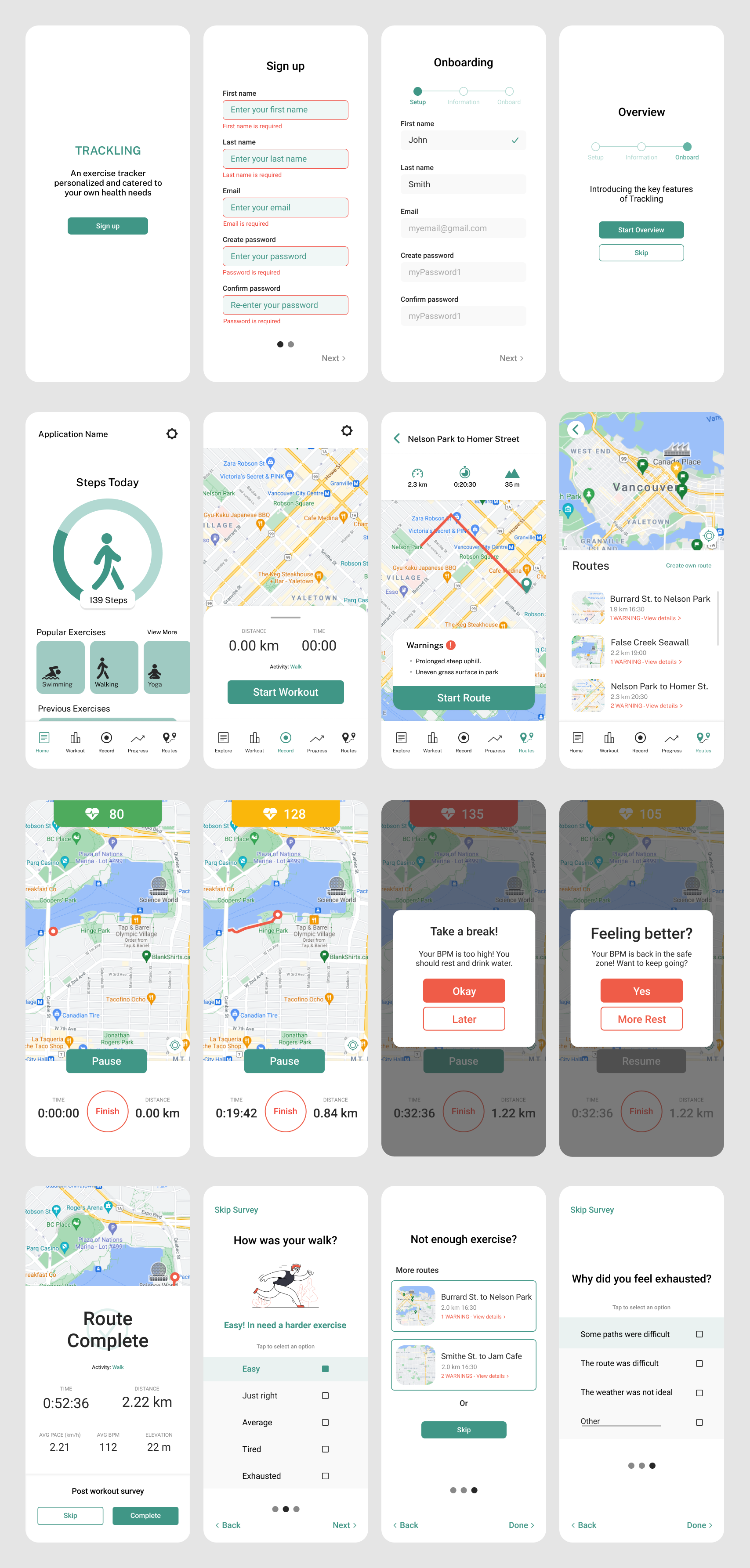
Trackling, a fitness support app that utilizes user’s health data from in-app logged activity together with synced health applications to provide personalized workouts, notifications and visualized progress tracking for seniors.
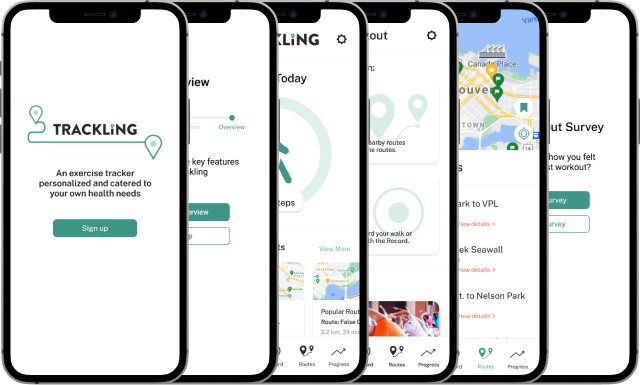
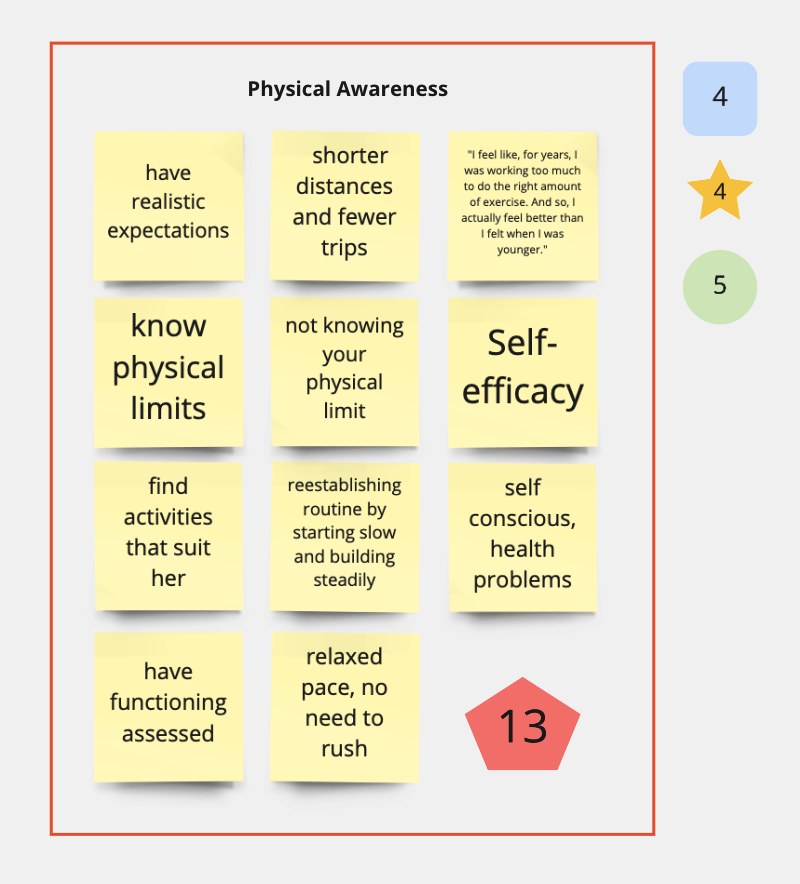
Image of Trackling solution

Research

Inspiration

Since many of our family and friends faced difficulty maintaining physical exercise during the pandemic, we wondered if seniors also encountered similiar struggles.

This spark helped to determine our research domain: Mobility and Movement amongst Seniors

Affinity Map

Goal

Determine a problem area to focus on.

Key Observations

With our research on Mobility and Movement, we compiled all our data on Miro to observe the different topics within our domain.

Using Nielsen Norman's severity rating, our group narrowed down to focus on physical awarness because we had stronger supporting evidence from interviews and primary sources.

Image of affinity diagram

The sticky notes are thoughts, ideas, and notes from our research and the red pentagon in the corner is the sum of our severity ratings (rectangle, star, and circle) for this topic.

View affinity map

With a defined topic area, we created two 'How Might We' to guide us through further research.

Design Space

How might we help seniors stay within their physical limits and set realistic expectations?

How might we cater the appropriate exercises for seniors to feel confident?

Competitive Analysis

Goal

Discover how exisiting applications help users understand and stay within their physical limits.

Key Observations

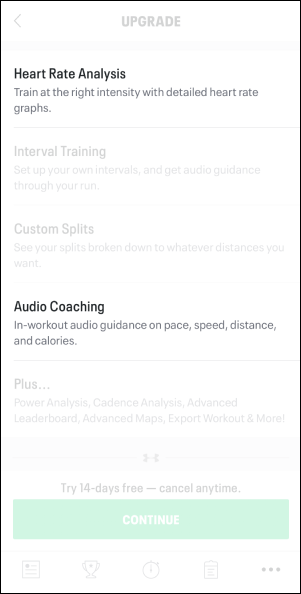
#1 MapMyWalk

Two features that caught my attention was the Heart Rate Analysis and Audio Coaching. Unlike younger athletes who focus on performance based goals, seniors are different in that they prioritize capability and safety.

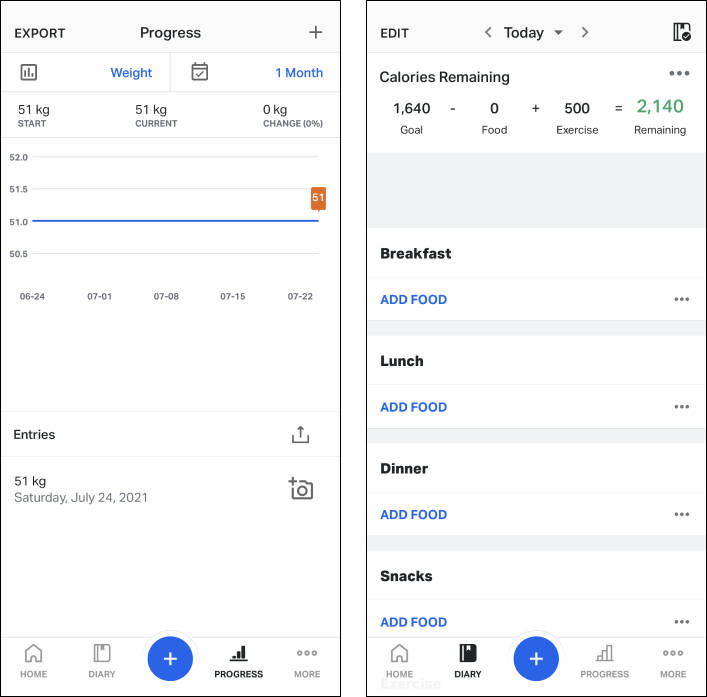
#2 My FitnessPal

My FitnessPal it best for logging personal progress and providing qualitative data. Not only does it record start and current physical state, but also tracks the changes and numbers to achieve user goals.

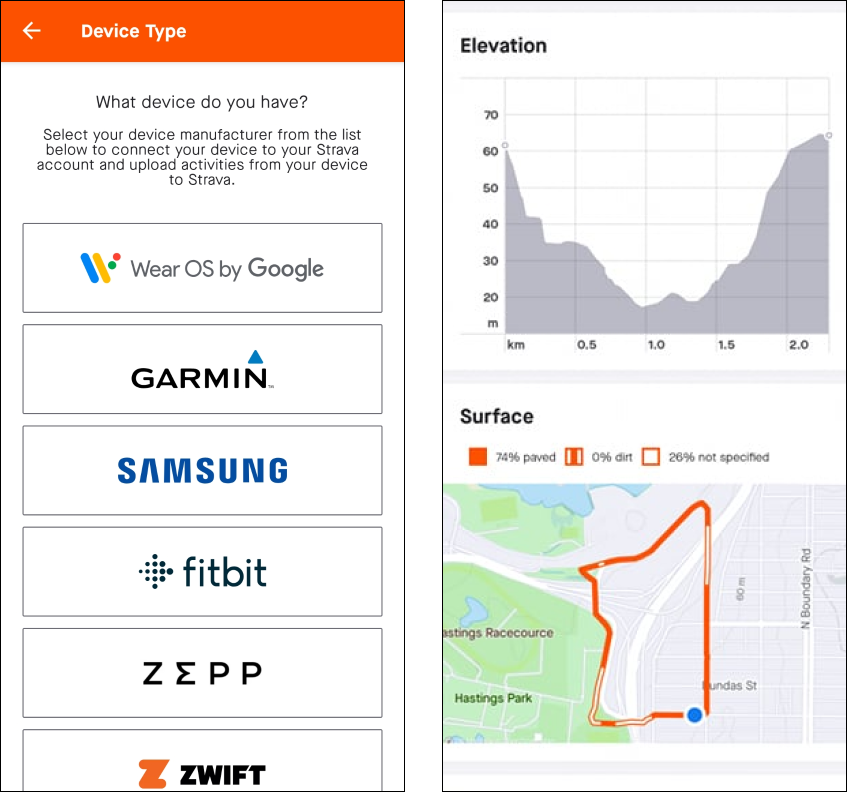
#3 Strava

Although the sign up process is similiar in most applications, Strava users can sync different tracking devices with the application, allowing for more accurate data and catered feedback for the user. In addition, Strava includes surface condition that can be important information to user who have mobility difficulties.

Observations

Currently, existing solutions focus more on progress tracking (km/h, pace, steps, or distance travelled, time elapsed) than helping users understand what level/intensity of exercise is within their physical capabilities.

Design Ideas

Top Ideas

After observing existing applications and their features, each of our team members brainstormed two new ideas that can help solve the user's problem.

#1 Ability to connect with existing health monitor applications

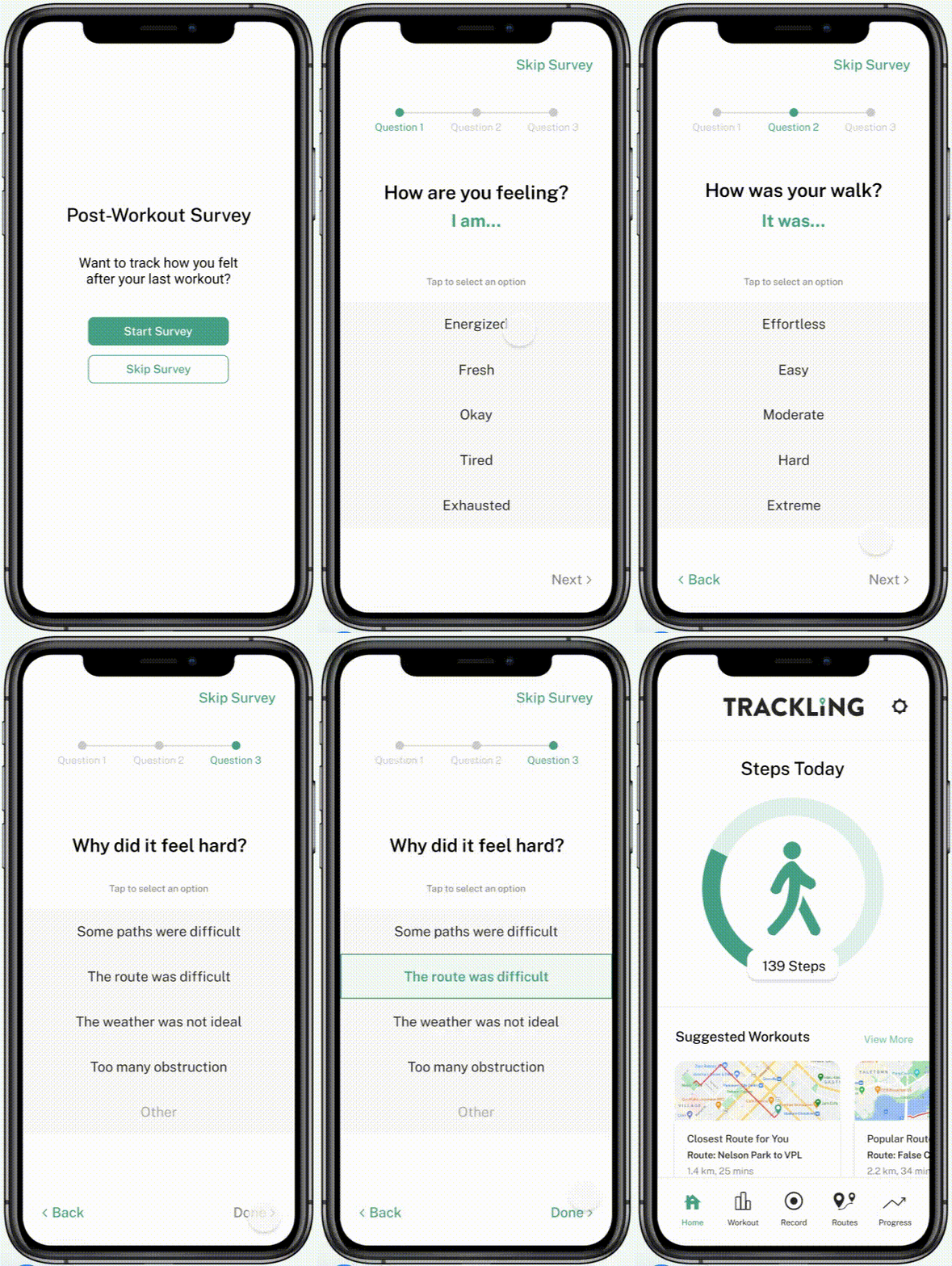
#2 Specific health and exercise related questions post workout

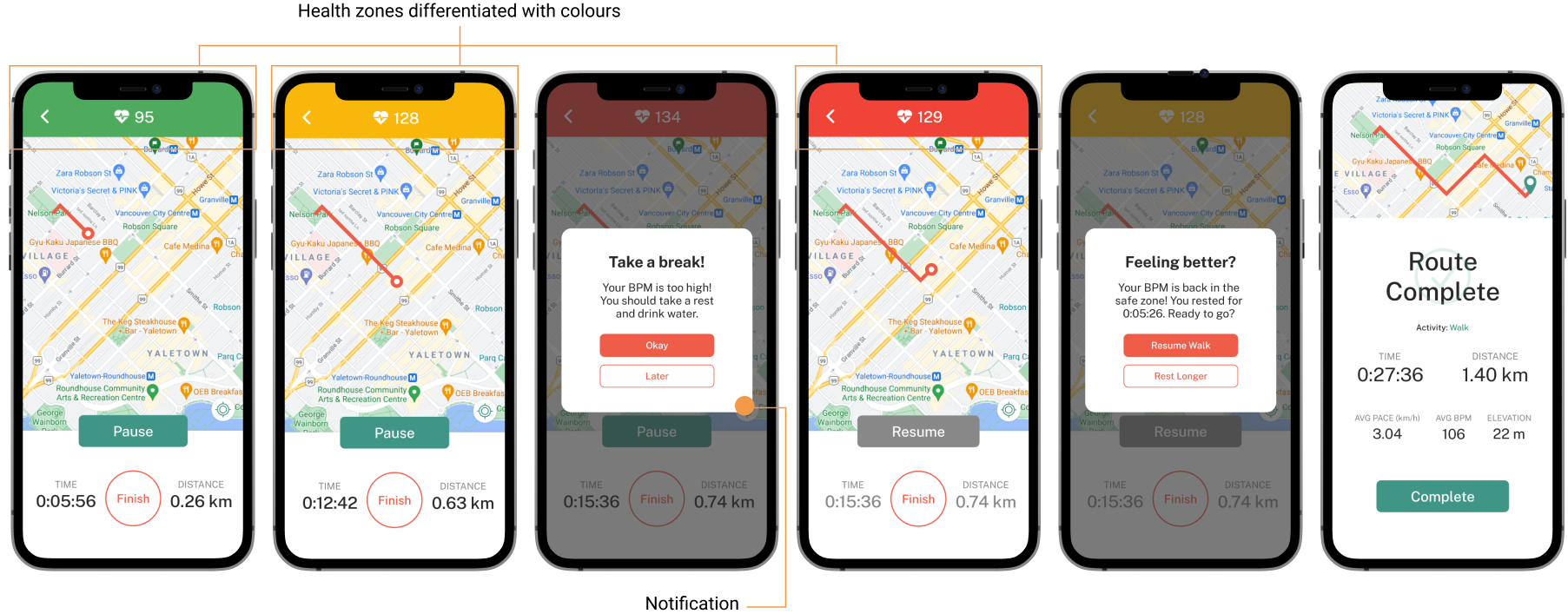
#3 Logging workout via BPM (Beats per minute) with difference colours

#4 Notify users to rest when their heart rate increases pass a safe zone

First Draft

With our key features in mind, we proceeded to creating our first set of design.

Design Revisions

Once we finised our final design and working prototype, we completed two different tests to evaluate important issues.

Test #1: Heuristics Evaluation

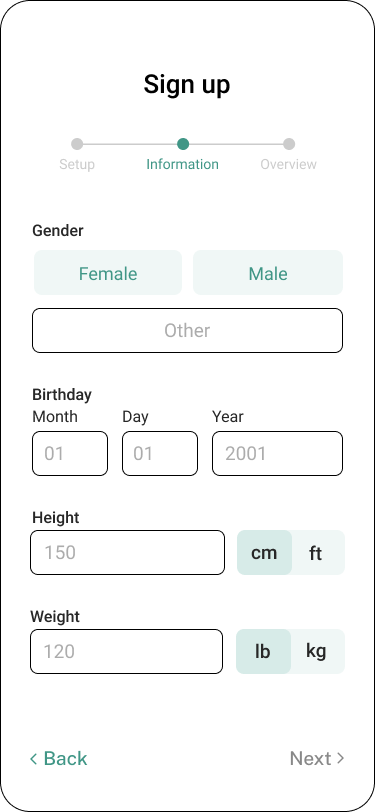
Using Jakob Nielsen's heuristics test, we discovered that we need to improve helping users recognize, diagnose, and recover from errors.

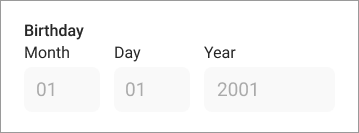
An example of this issue occuring is in the Sign-up process. Without completing all of the fields, the interface does not generate change nor does it notify the user of the error (figure 1).

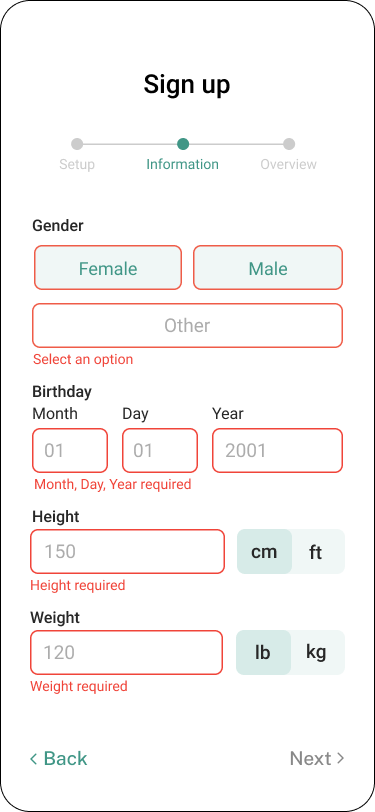
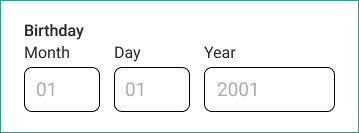
A simple fix was to add a red border over unselected buttons or incomplete fields with an error message below to inform the user of the problem (figure 2).

figure 1
figure 2

Test #2: User Testing

Accessible Design

Through testings, we learned that seniors paid more attention to content and instructions rather than the visual cues. For our new designs, we ensured that the language and instructions were clear, yet enough to maintain a simple-to-read interface.

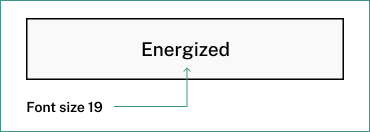
  1. Increase font size
  2. Old font size
    Revised font size
  3. High contrast colours
  4. Old input: dark grey against light grey
    Revised input: white against light grey
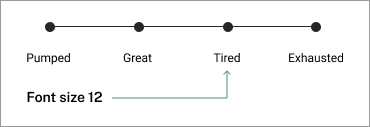
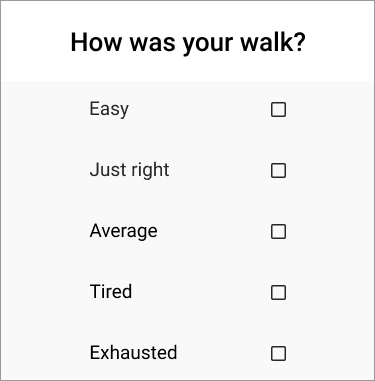
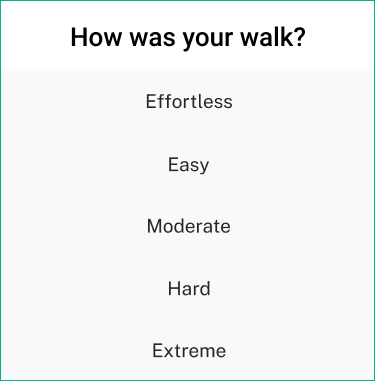
  5. Accurate survey options
  6. Old
    Revised options from low to high range
  7. Reduce jargon
  8. Old
    Revised word choices

Solution Breakdown

Application

Trackling fitness support app that utilizes user’s health data from in-app logged activity together with synced health applications to provide personalized workouts, notifications and visualized progress tracking. Trackling also logs users’ activity progress through performance metrics such as distance travelled, average moving pace during an activity, elevation gain on the route, and total time elapsed for an activity.

Design Goals

Understand seniors physical/health conditions and help them stay within their physical limits during their workouts.

Accessibility Considerations

We want to create an accessible application suitable for seniors. The design considerations include high contrast colour combinations, larger standard font, and formal language understood by the user.
User Persona

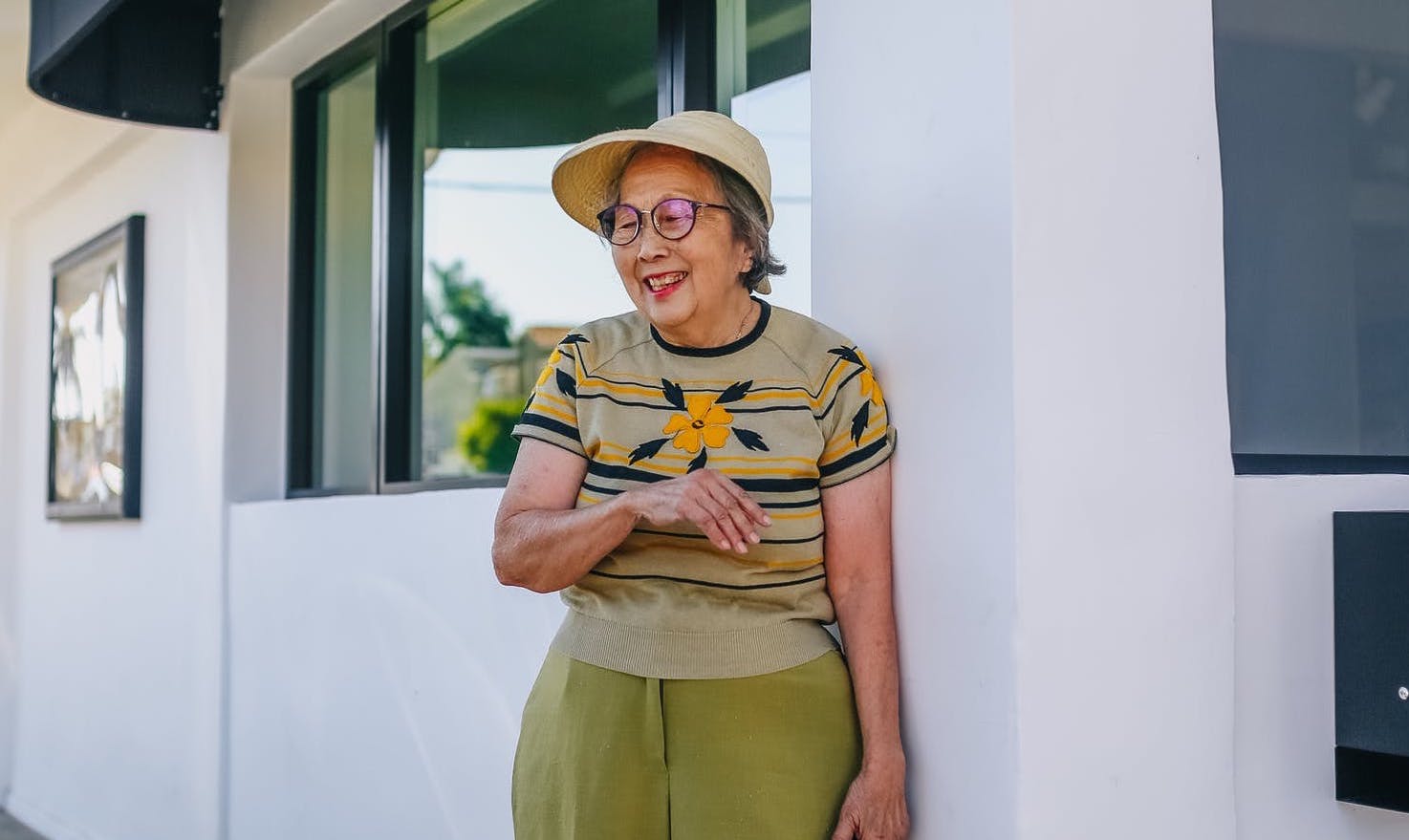
Sam, a 75 year old grandmother, has just began to exercise after staying at home for 3 months. She is excited to go on walks around the neighbourhood but is afraid of exceeding her physical capabilities and causing injuries.

User Flow

Task: Sam goes on a walk

Exposure

Sam first learns about Trackling through a local news website. The website includes a link that opens her mobile app store where she can install Trackling.

Onboarding

Health Application Data Sync

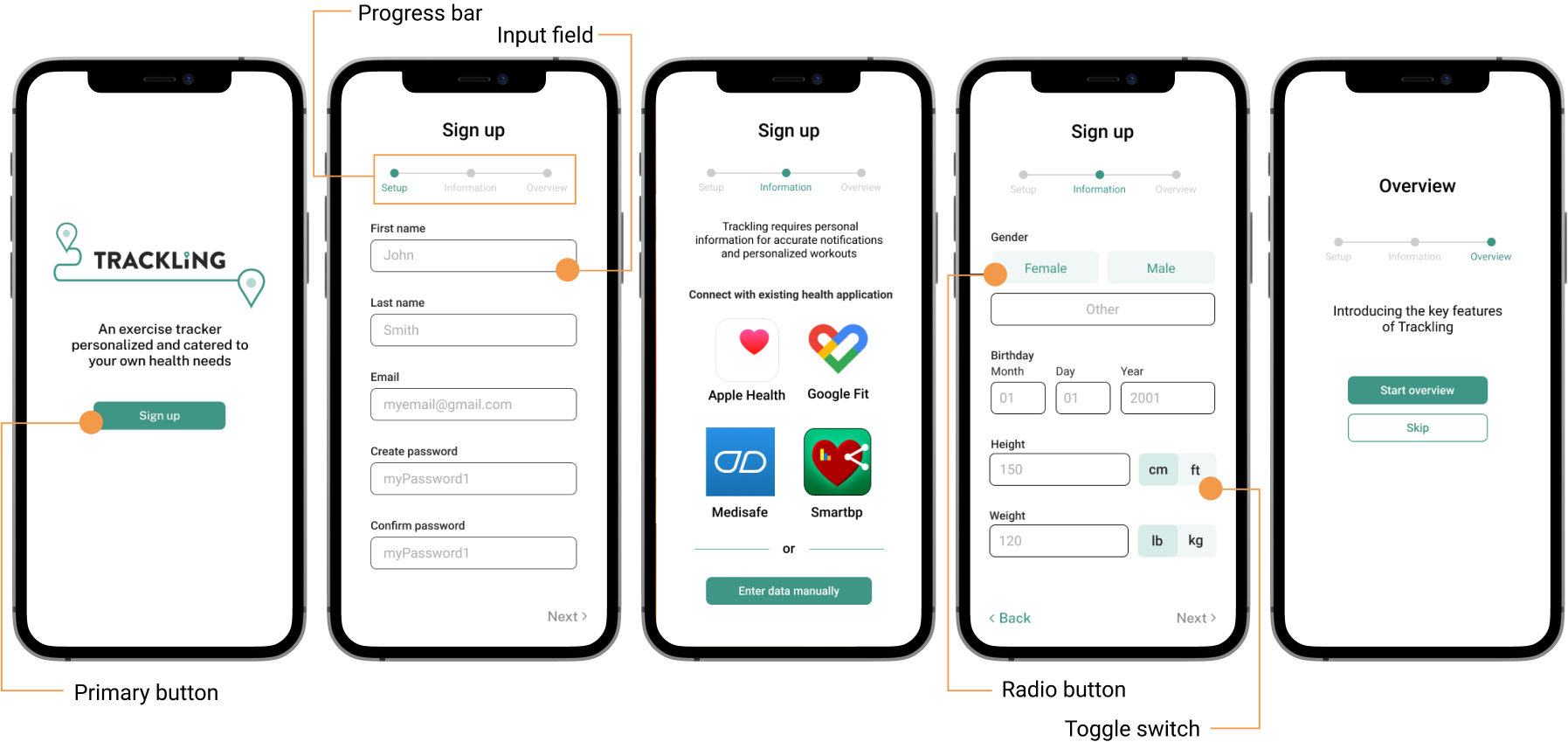
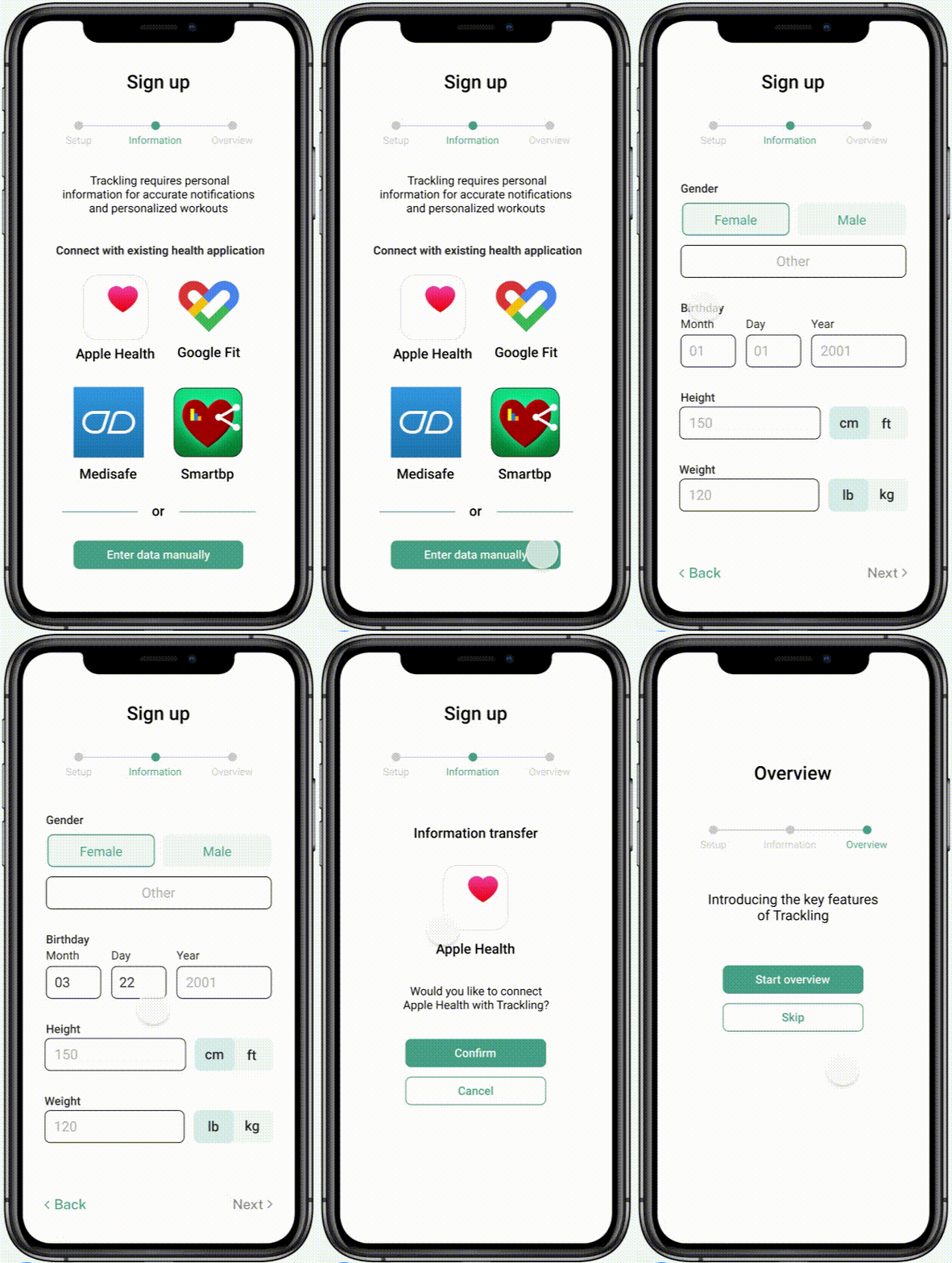
After installing, Sam can input her information either manually or by syncing her health data from other applications to create a more seamless and personalized experience.

Navigation Page

Activity Routes

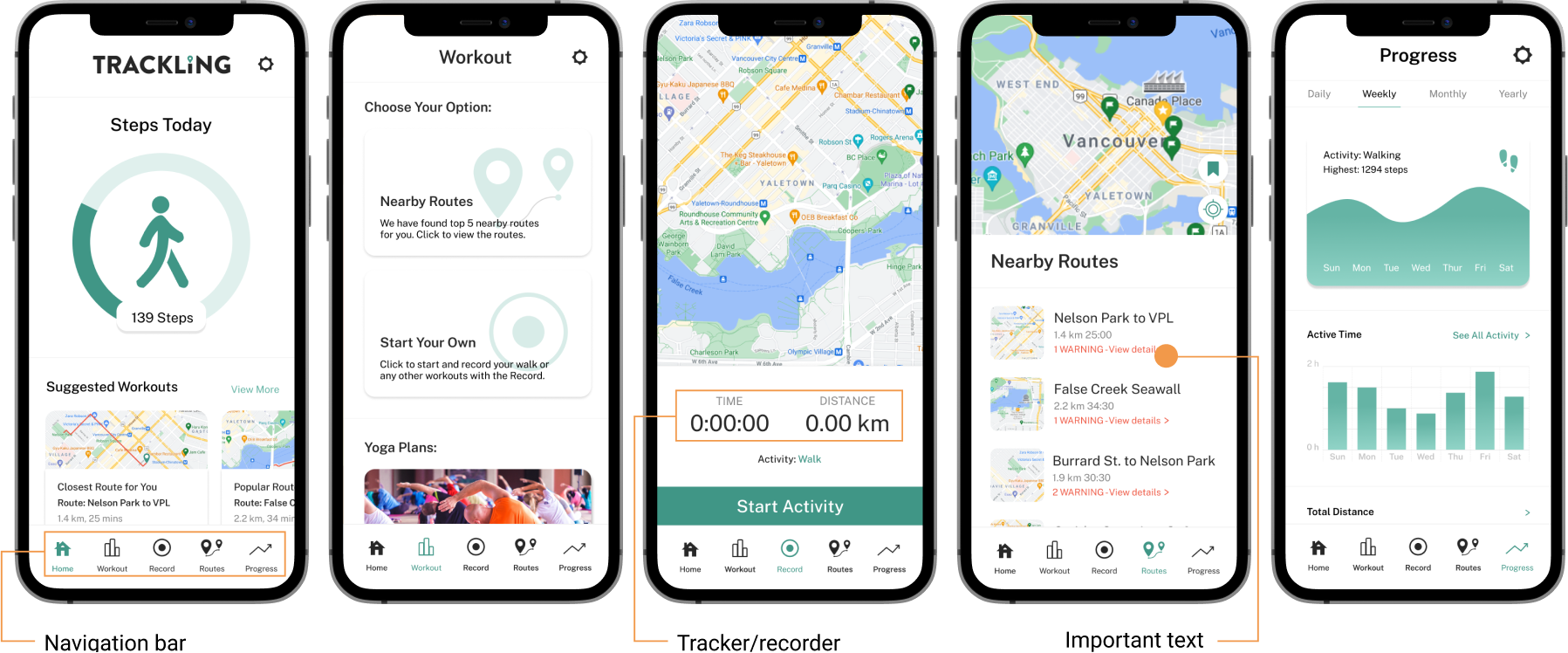
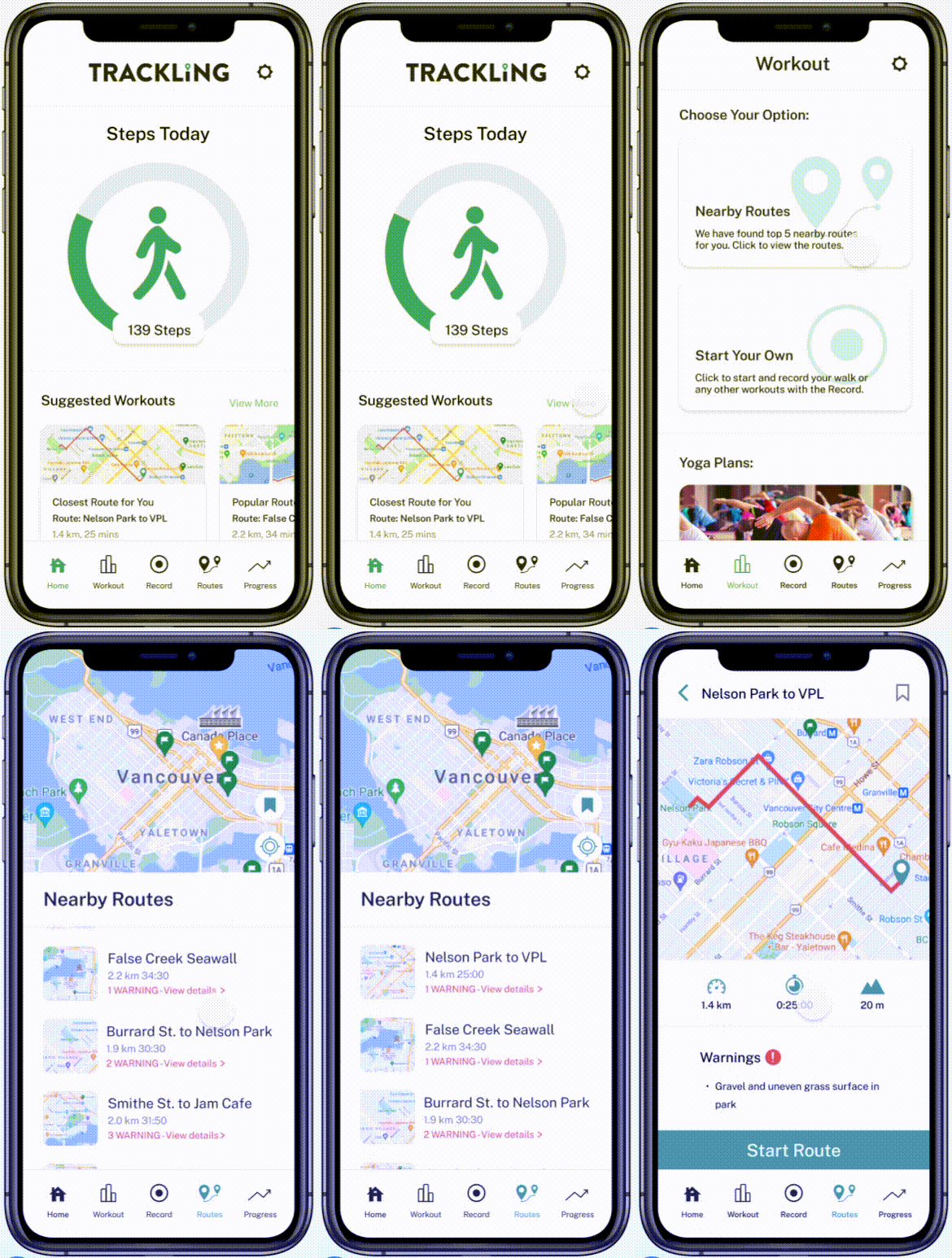
Once she enters the app, Sam can access the Workout page through the suggested workouts section. Here, she is given the option of choosing a walking route within their vicinity or building her own route.

Each option provides Sam with the distance, estimated time, elevation gain, as well as cautions that Sam might need to consider such as gravel or uneven surfaces.

Workout Recorder

Real-Time Health Report

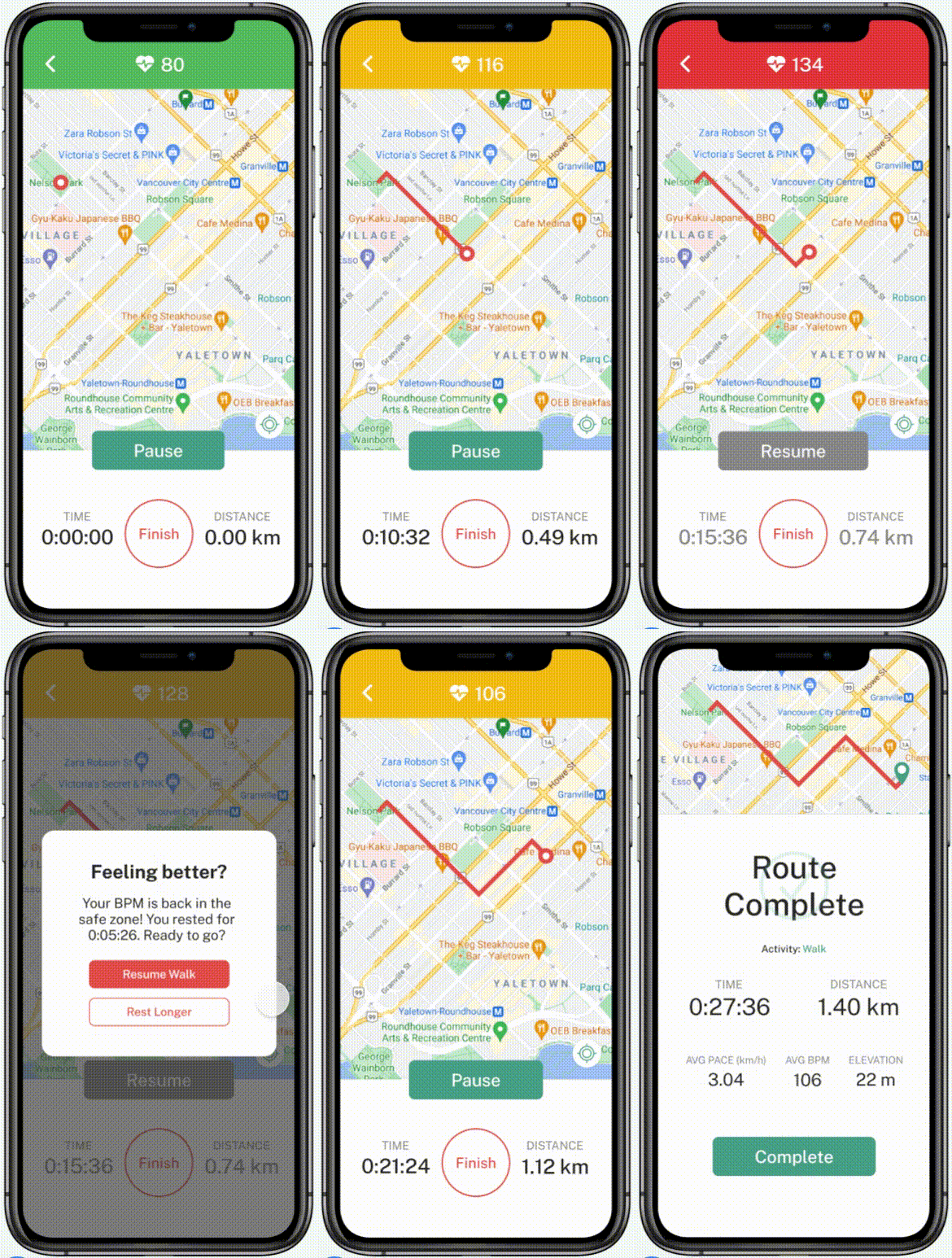
On the walk, Sam is provided with real-time notifications that is dependent of her 'zone'.

If Sam enters the yellow zone, the system will simply send a notification and in the red zone, the notification will also include audio and haptic alerts to notify Sam to take a break until her BPM reaches the safe zone.

We made a conscious decision to use green, yellow and red so that those elements can stand out from their surroundings. Since traffics light are incorporated in our daily life it is easy for seniors to recognnize what those colours mean.

Post Workout

Activity Survey

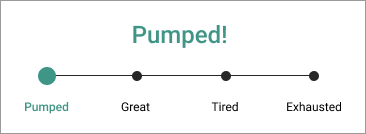
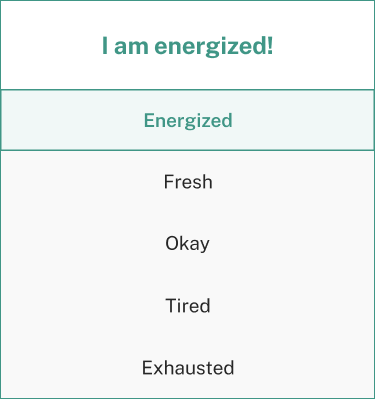
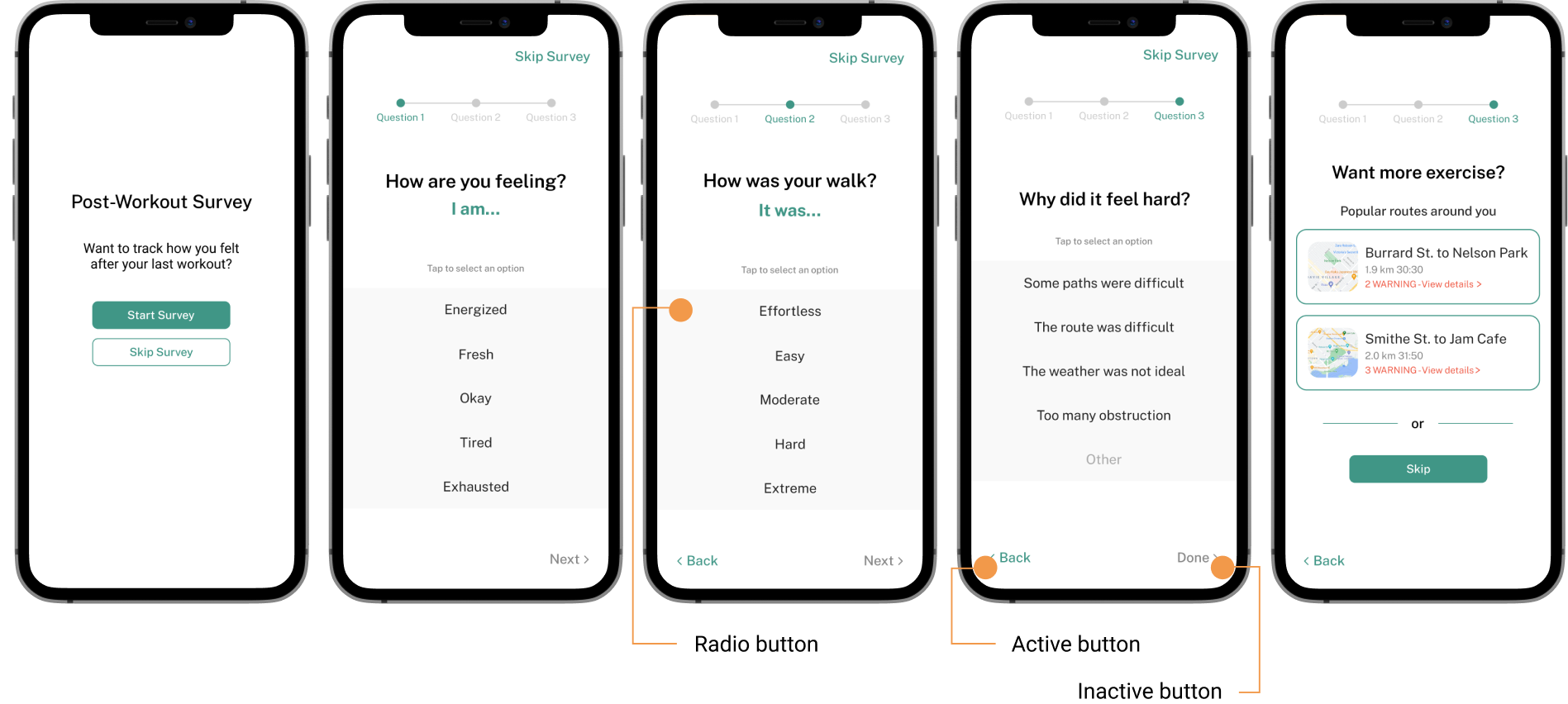
Once Sam has completed her workout, Trackling prompts a post workout survey to understand her emotions and physical state.

The post activity survey is an important component of our application for Trackling to extract information and recommend workouts that are catered to the users physical ability and limits.

Impact

Helping seniors create a more personalized experience by helping them stay within their physical limits.

The app notifies users when they are exceeding their physical limits based on the safe thresholds of their active heart rate in beats per minute (BPM) and age group, for low, moderate, and high intensity activities. In addition, appropriate exercises are suggested based on their physical and health conditions.

Success Measures

  • Increase of accessibility score on user interface and experience
  • Task success rate on user's ability to complete a guided workout and survey
  • User error rate to identify the number of times a user makes a mistake while navigating through the app

Future Considerations

Once a solutions is released, the process does not end there. Design is an iterative cycle where continuous changes are made depending on metrics or key performance indicators (KPI). Based on these metrics, we want to use this data to make improvements for the future. Areas we are interested in tracking the engagement levels of users include:

Onboarding

1. Existing application syncing versus data entered manually

Workout Recorder

2. User taking a break versus selecting 'later' and neglecting the notification

Post Workout

3. Users who complete the survey versus those who skip it

Reflection

Leading the team

I first took on a leadership role for this project and led the direction of of the design process, then later overlooked the whole project while focusing on my individual tasks. From this experience, I learned that as a leader it is important to learn about everyone's skills and leverage their strengths during work deligation or collaboration.

Usability Constraints

After the completing the project, I wondered if the features on the application are feasible while a user is active and exercising. I learned that designing for an older audience requires detailed attention towards accessibility and considerations beyond the digital solution.

Dynamic Design Process

Feedback is key to growth as a designer. I learned that it is important to ask for critique or feedback throughout the whole process whether it may be big or small.